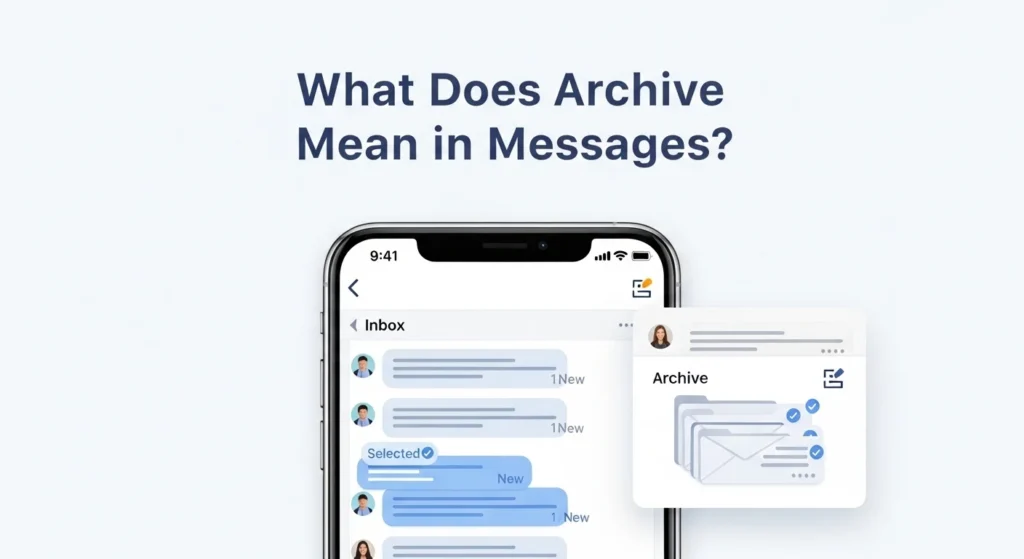
Archive in messages means moving a conversation out of your main inbox or message list without deleting it. The message is still saved and can be accessed later, but it is no longer visible in your primary inbox view.
If you’ve ever cleaned up your inbox and seen the Archive option, you might have paused and wondered:
Does archive mean delete?
Will I lose the message?
Where does it even go?
The word archive can feel confusing, especially because different apps use it slightly differently. But once you understand it, archive becomes one of the most useful tools for organizing your messages without losing important conversations.
Let’s break it down clearly.
In simple terms:
Archive hides the message, but does not erase it.
What Does Archive Actually Do?
When you archive a message:
- It disappears from your main inbox
- It remains stored in your account
- You can search and retrieve it anytime
- It may return to your inbox if someone replies
Think of it like putting a paper file into a filing cabinet instead of throwing it in the trash.
Archive vs Delete
This is the most important distinction.
| Feature | Archive | Delete |
|---|---|---|
| Removes from inbox | Yes | Yes |
| Permanently erases message | No | Usually yes |
| Can retrieve later | Yes | Limited or no |
| Best for | Organizing | Removing unwanted messages |
If you delete a message, it may go to a Trash folder and eventually be permanently removed.
If you archive it, it stays safely stored.
Where Do Archived Messages Go?
This depends on the app you’re using.
In Gmail
In Gmail, archived emails move out of your inbox but remain in “All Mail.” You can search for them anytime.
In WhatsApp
And In WhatsApp, archived chats move to a separate “Archived” section at the bottom of your chat list.
In iPhone Messages
AND In iMessage, archiving is limited. Messages are typically deleted rather than archived unless using email-based messaging.
In Outlook
In Microsoft Outlook, archived emails are moved to an Archive folder within your mailbox.
Why People Use Archive
Archiving is popular for several reasons:
- Keeps inbox clean
- Reduces clutter
- Preserves important records
- Helps organize old conversations
- Maintains professional documentation
Many professionals aim for “Inbox Zero,” and archiving helps achieve that without losing emails.
What Happens If Someone Replies to an Archived Message?
In most messaging apps:
- The conversation returns to your inbox automatically
- You receive a new notification
- The thread becomes active again
This makes archive a flexible option instead of a permanent action.
Does Archive Free Up Storage?
Usually, no.
Archived messages still take up storage space because they are not deleted. If you need to free storage, deletion is required.
Archive in Different Contexts
Archive is commonly used in email to remove completed conversations while keeping them for reference.
Business Communication
Archived messages serve as records for compliance, documentation, and accountability.
Personal Messaging
Users archive chats to hide old conversations without deleting memories.
Is Archive the Same as Muting?
No.
- Archive hides a conversation.
- Mute stops notifications but keeps the conversation visible.
You can archive and mute separately depending on your needs.
When Should You Archive Instead of Delete?
Archive when:
- You may need the message later
- It contains important information
- It relates to work or contracts
- It’s part of a transaction record
Delete when:
- It’s spam
- It’s unnecessary
- It contains no future value
Common Misconceptions About Archive
Archive means permanent storage forever.
Not necessarily. Messages can still be deleted manually later.
Archived messages are invisible forever.
No. They can be searched and accessed easily.
Archive protects from hackers.
No. It is an organizational tool, not a security feature.
Example Scenario
Imagine you finished discussing a project with a client.
You do not want the conversation cluttering your inbox, but you might need it for reference later.
Instead of deleting it, you archive it.
Your inbox stays clean.
Your records stay safe.
FAQs
What does archive mean in messages?
Archive means removing a message from your inbox while keeping it stored in your account for future access.
Does archive delete messages?
No. Archived messages are not deleted and can be retrieved later.
Where do archived messages go?
They move to an Archive folder or remain searchable in your account, depending on the app.
Can I recover archived messages?
Yes. You can search for them or open the Archive folder to restore them.
Do archived messages come back to the inbox?
Yes. If someone replies to the conversation, it typically returns to your inbox.
Does archiving save storage space?
No. Archived messages still use storage since they are not deleted.
What is the difference between archive and mute?
Archive hides the message. Mute stops notifications. They serve different purposes.
Should I archive work emails?
Yes, archiving is useful for keeping professional records while maintaining a clean inbox.
Conclusion
Archive in messages simply means moving a conversation out of your main inbox without deleting it. It is a powerful organizational tool that helps you keep your inbox clean while preserving important conversations.
You use email platforms like Gmail or messaging apps like WhatsApp, archiving gives you control over clutter without losing valuable information.
If you want organization without risk, archive is the smart choice.
Discover More Related Articles:
- Deposition in Personal Injury Cases: What It Means in 2026
- Redacted Meaning in Legal Terms: What It Really Means in 2026

Daniel Moore is a content writer and language enthusiast at TextRoast.com, specializing in decoding slang, abbreviations, and trending text expressions. He creates engaging and informative articles that help readers understand the meaning behind everyday words and online communication.