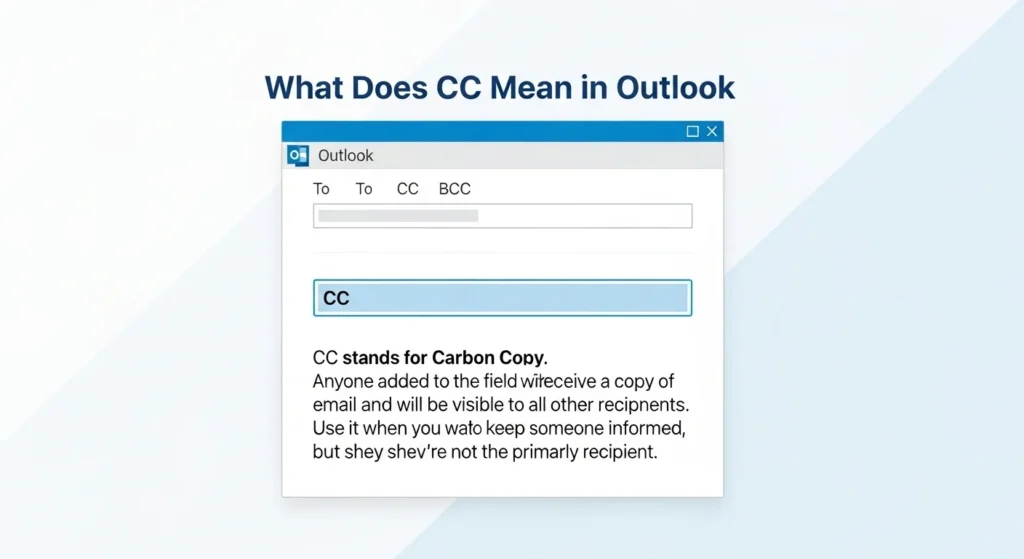
CC in Outlook stands for “Carbon Copy.” It allows you to send a copy of an email to additional recipients who are not the primary addressees, while keeping their email addresses visible to everyone in the message.
If you’ve ever sent or received an email in Microsoft Outlook, you’ve probably seen the “CC” field sitting right below the “To” line. But what exactly does CC mean in Outlook? When should you use it? And what’s the difference between CC and BCC?
Understanding CC is essential for professional communication, workplace etiquette, and keeping the right people informed without creating confusion. Let’s break it down clearly and practically.
In simple terms:
The people in the “To” field are the main recipients.
The people in the “CC” field are being kept informed.
What Does CC Stand For?
CC stands for Carbon Copy, a term that originated from the days of typewriters.
Before digital communication, typists would place carbon paper between sheets to create duplicate copies of a document. That duplicate copy was called a “carbon copy.”
When email systems were developed, the term carried over into digital communication.
How CC Works in Outlook
When composing an email in Microsoft Outlook, you typically see three main fields:
- To
- CC
- BCC
Here’s how CC functions:
- The primary recipient goes in the “To” field.
- Anyone added to the CC field receives a copy of the email.
- Everyone can see who is CC’d.
This transparency is important in professional communication.
When Should You Use CC in Outlook?
CC is commonly used in business environments. Here are practical scenarios:
1. Keeping Someone Informed
You email a client about a project update. You CC your manager so they stay informed.
2. Transparency in Communication
If multiple team members need visibility on a conversation, CC ensures everyone sees the exchange.
3. Documentation
CC can serve as a written record that someone was included in communication.
Example Scenarios
Professional Example
To: Client
CC: Project Manager
Subject: Project Timeline Update
This signals that the client is the primary contact, while the project manager is being kept informed.
Internal Office Example
To: HR Department
CC: Direct Supervisor
This indicates the supervisor should be aware of the discussion.
Friendly Context
You might CC a friend when sharing group plans so everyone stays in the loop.
CC vs BCC in Outlook
This is one of the most common questions.
| Feature | CC | BCC |
|---|---|---|
| Full Form | Carbon Copy | Blind Carbon Copy |
| Visibility | Visible to all recipients | Hidden from other recipients |
| Transparency | Yes | No |
| Best For | Open communication | Privacy or large mailing lists |
BCC is useful when sending mass emails and you don’t want recipients to see each other’s addresses.
CC vs To Field
Another common confusion is between To and CC.
| Field | Purpose |
|---|---|
| To | Main recipient expected to respond |
| CC | Secondary recipients being informed |
If you expect action or a reply, use “To.”
If you’re just keeping someone informed, use “CC.”
Email Etiquette: Best Practices for Using CC
Using CC improperly can clutter inboxes or create tension. Here are smart etiquette tips:
- Only CC when necessary.
- Avoid overusing CC in long email chains.
- Do not CC someone just to apply pressure.
- Make sure recipients understand why they are included.
Overuse of CC can make communication inefficient.
What Happens If Someone Replies?
If someone clicks “Reply All,” everyone in the To and CC fields receives the response.
This is why CC should be used thoughtfully. Too many recipients can create unnecessary email traffic.
Common Workplace Meanings of Being CC’d
Being CC’d can imply different things depending on context:
- You are being informed
- You are being documented
- You are being included for transparency
- You are indirectly expected to monitor the discussion
It does not always mean you need to respond.
Does CC Affect Email Priority?
No. CC does not change priority settings. It simply determines visibility and distribution.
Is CC Available Only in Outlook?
No. CC is available in almost all email platforms, including:
- Gmail
- Yahoo Mail
- Apple Mail
- Business email systems
However, it is commonly associated with corporate use in Microsoft Outlook.
FAQs
What does CC mean in Outlook?
CC stands for Carbon Copy and allows you to send a visible copy of an email to additional recipients.
When should I use CC in Outlook?
Use CC when you want to keep someone informed but they are not the primary recipient.
What is the difference between CC and BCC?
CC recipients are visible to everyone. BCC recipients are hidden from other recipients.
Does CC mean someone must reply?
Not necessarily. It usually means they are being informed rather than required to respond.
Can CC recipients see each other?
Yes. All email addresses in the CC field are visible to everyone included in the email.
Is it rude to CC someone’s boss?
It depends on context. In some cases, it may appear as escalation or pressure if not done professionally.
What happens if someone replies all?
Everyone in both the To and CC fields will receive the reply.
Should I CC in every email?
No. Only include relevant recipients to avoid unnecessary inbox clutter.
Conclusion
Understanding what CC means in Outlook is essential for effective email communication. CC allows you to include additional recipients transparently while clearly distinguishing between primary contacts and those being informed.
Used correctly, CC promotes clarity, accountability, and professional communication. Used carelessly, it can create confusion or overwhelm inboxes.
The key is simple: include only those who truly need visibility, and be intentional about who belongs in the To versus CC field.
Discover More Related Articles:
- Deposition in Personal Injury Cases: What It Means in 2026
- Redacted Meaning in Legal Terms: What It Really Means in 2026

Laura Jackson is a writer at textroast.com, where she creates engaging articles that decode the meanings behind slang, phrases, and everyday expressions. Passionate about language and communication, she makes complex or confusing terms easy to understand, turning learning into a fun and relatable experience for readers around the world.