
Definition
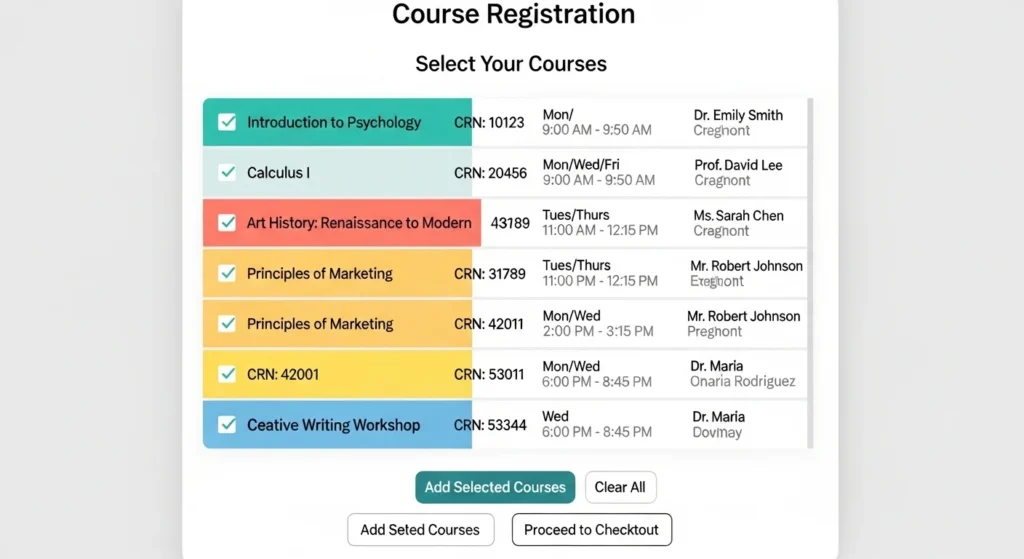
CRN in college stands for “Course Reference Number.” It is a unique numeric code assigned to each specific course section for registration and scheduling purposes.
If you’ve ever registered for classes at college or university, you may have come across the abbreviation CRN. While it seems simple, many students are unsure what CRN means and how it is used during registration. Understanding CRN is important for enrolling in courses correctly and avoiding scheduling issues.
This article provides a comprehensive guide to what CRN means in college, how it works, examples, and frequently asked questions to help students navigate course registration confidently.
In simple terms:
CRN = Unique identifier for a specific class section in a semester.
For example, a single course like “Introduction to Psychology” may have multiple sections. Each section will have its own CRN, time, and instructor.
Understanding CRN
The Course Reference Number is primarily used by colleges and universities in their registration systems. Every class section in a semester is assigned a unique CRN, which makes course registration accurate and organized.
Key Points:
- CRNs are usually 4–6 digits long.
- Each section of a course has a separate CRN.
- CRNs are specific to a semester; the same course may have a different CRN next term.
- They help in scheduling, tracking, and managing enrollment.
Example:
- Course: ENG101 – English Composition
- Section 1 CRN: 12345, Monday & Wednesday 10–11 AM
- Section 2 CRN: 12346, Tuesday & Thursday 1–2 PM
Even though both are ENG101, the CRN ensures you enroll in the correct section.
Why CRN Is Important
- Precise Registration: Ensures you register for the exact class, instructor, and time.
- Avoids Conflicts: Helps the system track class schedules and avoid overlapping courses.
- Accurate Records: CRN allows administrators to monitor enrollment, attendance, and grades.
- Ease of Communication: Students can refer to CRNs when asking questions or resolving issues with advisors.
How to Find CRNs
Colleges typically provide CRNs through:
- Online Course Catalogs: Lists courses by department with CRN, section, and times.
- Registration Portals: CRNs are used to add or drop classes online.
- Academic Advising: Advisors can give you CRNs for recommended courses.
Tip: Always double-check the CRN before registering to ensure you select the right course section.
Example of CRN in Action
Imagine you are a student enrolling in a computer science course:
- Course: CS101 – Introduction to Programming
- Section 1: CRN 45678, Instructor: Dr. Smith, M/W/F 9–10 AM
- Section 2: CRN 45679, Instructor: Dr. Johnson, T/Th 2–3:30 PM
If you want the morning class with Dr. Smith, you must use CRN 45678 during registration. Entering CRN 45679 would enroll you in the afternoon class instead.
CRN vs Course Code
| Term | Definition | Example |
|---|---|---|
| Course Code | Identifies the subject and level | CS101 – Introduction to Programming |
| CRN | Identifies a specific section of a course | 45678 – Morning section with Dr. Smith |
While course codes refer to the class as a whole, CRNs are unique to each section, time slot, and instructor.
CRN and Scheduling
CRNs are essential for avoiding time conflicts. Most registration systems prevent students from registering for classes that overlap in schedule using CRNs.
Example:
- CRN 12345: ENG101, M/W 10–11 AM
- CRN 23456: MATH101, M/W 10–11 AM
If you try to register for both, the system will flag a conflict, ensuring you cannot take overlapping courses.
Using CRNs for Add/Drop
When adding or dropping classes:
- Log in to the registration portal.
- Enter the CRN of the class you want to add or drop.
- Confirm the action.
- Your schedule will update immediately.
Example:
- Add CS101 Section 1 → Enter CRN 45678
- Drop ENG101 Section 2 → Enter CRN 12346
This process simplifies registration and reduces errors compared to searching by course name alone.
CRNs for Online Classes
Online courses also have CRNs. They help distinguish between:
- Synchronous classes (live online sessions)
- Asynchronous classes (self-paced)
- Different instructors or session times
Example:
- CRN 56789: Online CS101, live Zoom classes
- CRN 56790: Online CS101, self-paced
Even though both are CS101, the CRN ensures proper enrollment.
Tips for Managing CRNs
- Keep a List: Note CRNs for all courses before registration.
- Check Deadlines: CRNs are valid for a specific semester.
- Verify Sections: Confirm instructor, time, and location.
- Consult Advisors: Use CRNs provided by advisors for recommended schedules.
- Use Accurate Entry: A wrong CRN may enroll you in the wrong section.
FAQs
What does CRN mean in college?
CRN stands for Course Reference Number, a unique numeric identifier for a specific course section.
How many digits is a CRN?
CRNs usually have 4–6 digits, but this may vary by college.
Can multiple courses have the same CRN?
No. Each course section in a semester has a unique CRN.
Is CRN the same as a course code?
No. Course codes identify the course subject and level; CRNs identify specific sections.
Do online classes have CRNs?
Yes. Each online section has a CRN to distinguish instructors and session types.
Why do I need CRNs for registration?
CRNs ensure you register for the correct class section, time, and instructor.
Can CRNs change each semester?
Yes. Each semester, new CRNs are assigned for each section.
How do I find the CRN for a course?
Check the college course catalog, registration portal, or consult your academic advisor.
Conclusion
Understanding CRN in college is essential for smooth course registration. By using CRNs, students can select the right section, avoid conflicts, and maintain an organized academic schedule.
You are a freshman enrolling for the first time or a returning student adjusting your timetable, knowing how to use CRNs effectively can save time, reduce errors, and ensure a stress-free registration process.
Discover More Related Articles:
- Understanding OTE in Compensation: Base Pay Plus Incentives in 2026
- Financial Terms Simplified: What Does Principal Mean? in 2026

David Brown is a content writer and language enthusiast at textroast.com, where he creates insightful articles that explain the meanings of words, slang, and phrases used in everyday life. His work helps readers decode modern language trends, understand cultural expressions, and make sense of online communication with clarity and fun.