
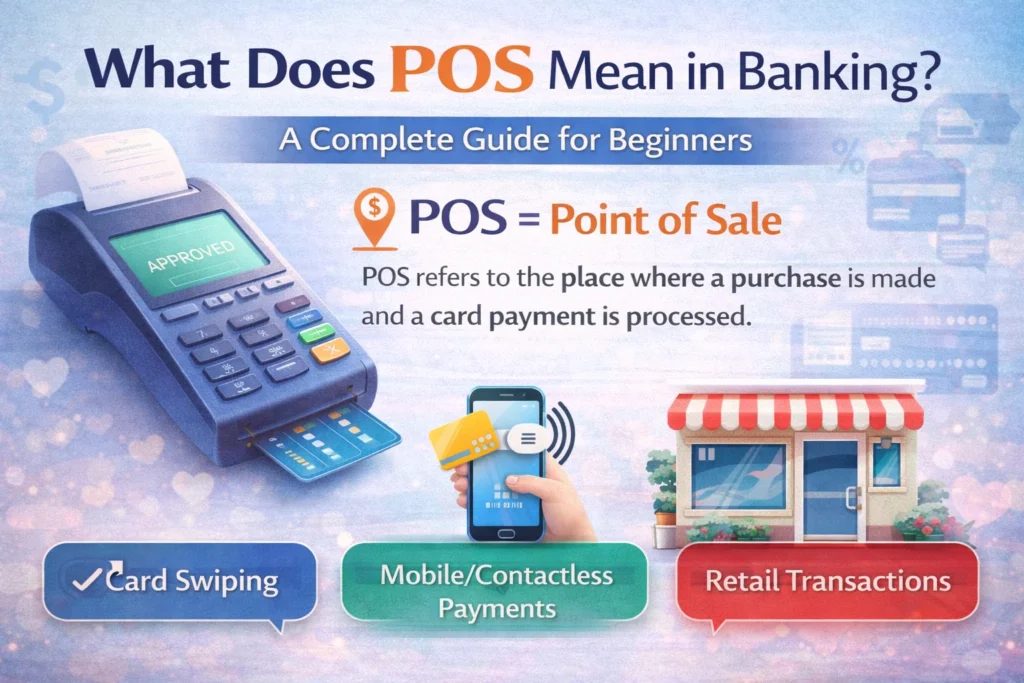
Definition
POS in banking stands for “Point of Sale.” It is the place or system where a customer completes a transaction to pay for goods or services using cash, credit, or debit cards.
If you’ve ever bought something at a store, ordered online, or used a card to make a payment, you’ve likely come across the term POS. In banking and finance, POS is a commonly used acronym but what does it mean exactly? Understanding POS is important for both consumers and businesses to manage payments effectively.
This article explains what POS means in banking, how it works, its types, real-world examples, and frequently asked questions.
In simple terms:
A POS is where the payment happens, either physically in a store or digitally online.
Understanding POS in Banking
The Point of Sale is not just a physical location; it also refers to the technology and systems that process payments.
When you swipe a debit or credit card at a store, tap your phone, or scan a QR code, the POS system communicates with your bank to authorize the transaction.
POS systems are integral to modern banking because they:
- Ensure fast and secure payments
- Track sales and transactions
- Integrate with accounting and inventory systems
- Reduce cash handling risks
Types of POS Systems
POS systems come in different forms depending on the business and transaction type.
1. Traditional POS Terminal
- Physical device in retail stores
- Accepts credit/debit cards and sometimes cash
- Communicates with banks to authorize payments
2. Mobile POS (mPOS)
- Runs on smartphones or tablets
- Useful for small businesses, restaurants, or delivery services
- Examples: Square, PayPal Here
3. Online POS
- Used in e-commerce
- Processes card or digital payments on websites or apps
- Examples: Shopify Payments, Stripe
4. Self-Service POS
- Kiosks or vending machines
- Customers complete transactions without human assistance
- Examples: Airport check-in kiosks, fast-food ordering machines
How POS Works in Banking
Here’s a step-by-step look at a POS transaction:
- Customer selects items and proceeds to checkout.
- Customer chooses payment method (cash, debit, credit, mobile).
- POS system sends transaction information to the bank/payment processor.
- Bank verifies funds and approves or declines the transaction.
- Transaction is completed, and the receipt is generated.
All this typically happens in seconds, ensuring a seamless payment experience.
POS vs ATM
| Feature | POS | ATM |
|---|---|---|
| Function | Payments for goods/services | Cash withdrawal or deposit |
| Location | Stores, online, kiosks | Banks, standalone machines |
| Bank Interaction | Authorizes payment | Provides cash and account info |
| Transaction Type | Debit/Credit card, digital payment | Cash, balance check, transfer |
POS systems focus on purchases, while ATMs focus on banking services.
Advantages of POS in Banking
- Convenience – Quick payments for both customers and businesses.
- Security – Encrypted transactions reduce fraud risk.
- Record Keeping – Tracks all transactions for accounting and reporting.
- Multiple Payment Options – Accepts cards, mobile wallets, and contactless payments.
- Integration – Connects with inventory and loyalty programs.
Real-World Examples of POS
1 Example: Retail Store
- Customer buys groceries and swipes a debit card at a POS terminal.
- The POS communicates with the bank and approves payment instantly.
2 Example: Mobile Restaurant Order
- A delivery rider uses a smartphone POS system to accept card payment at the customer’s door.
- Payment is authorized and recorded digitally.
3 Example: Online Shopping
- Customer purchases a book online.
- The website’s POS system processes the card payment and confirms the transaction.
POS in Digital Banking
Modern banking integrates POS with digital solutions:
- Mobile banking apps allow cardless POS payments using QR codes.
- Digital wallets like Apple Pay, Google Pay, or Samsung Pay interact with POS systems.
- Banks provide analytics for POS transactions, helping businesses track sales trends.
Common POS Terminology
- POS Terminal – Physical device that processes payments.
- POS Transaction – The actual payment processed at the point of sale.
- mPOS – Mobile POS system.
- Contactless Payment – Payment using NFC-enabled cards or devices.
- EMV Chip – Security feature in cards used at POS.
Security Considerations
While POS systems make payments convenient, security is vital:
- Always use EMV chip cards instead of magnetic stripes.
- Keep mobile POS devices updated with security patches.
- Avoid using public Wi-Fi for POS transactions.
- Monitor statements for unauthorized transactions.
POS Fees in Banking
Banks and payment processors may charge businesses fees for POS usage:
- Transaction Fee – Small percentage per sale.
- Monthly Fee – Subscription for POS software/services.
- Hardware Fee – Cost of POS terminals or mobile devices.
For consumers, POS payments usually do not have fees unless using credit card cash advance or foreign cards.
POS vs EFT
POS payments are different from Electronic Funds Transfer (EFT):
- POS is a specific purchase transaction.
- EFT includes all electronic money transfers, like direct deposits, bill payments, and wire transfers.
FAQs
What does POS mean in banking?
POS stands for Point of Sale, the place or system where payments are made for goods or services.
Is POS only for physical stores?
No. POS systems can be physical terminals, mobile devices, online platforms, or kiosks.
Can I use a credit card at a POS?
Yes. POS systems typically accept debit, credit, and digital wallet payments.
Is POS secure?
Yes, modern POS systems use encryption and EMV technology to protect transactions.
Do banks charge fees for POS transactions?
Businesses may pay fees; consumers rarely pay fees unless specific card rules apply.
What is a mobile POS (mPOS)?
A POS system that runs on a smartphone or tablet, allowing payments anywhere.
How is POS different from an ATM?
POS is for purchases, while ATMs handle cash withdrawals, deposits, and account access.
Can I track all POS transactions in my bank account?
Yes. Bank statements and mobile banking apps display all POS transactions.
Conclusion
POS systems have revolutionized the way we pay for goods and services. From grocery stores to online shopping, POS ensures fast, secure, and trackable transactions.
Understanding POS in banking helps you make smarter financial decisions, whether you are a consumer, a business owner, or an investor.
Discover More Related Articles:
- EMD Matters in Real Estate Contracts: Buyer and Seller Guide in 2026
- PC in Law Explained: What It Stands for and Why It Matters in 2026

Laura Jackson is a writer at textroast.com, where she creates engaging articles that decode the meanings behind slang, phrases, and everyday expressions. Passionate about language and communication, she makes complex or confusing terms easy to understand, turning learning into a fun and relatable experience for readers around the world.