
Definition
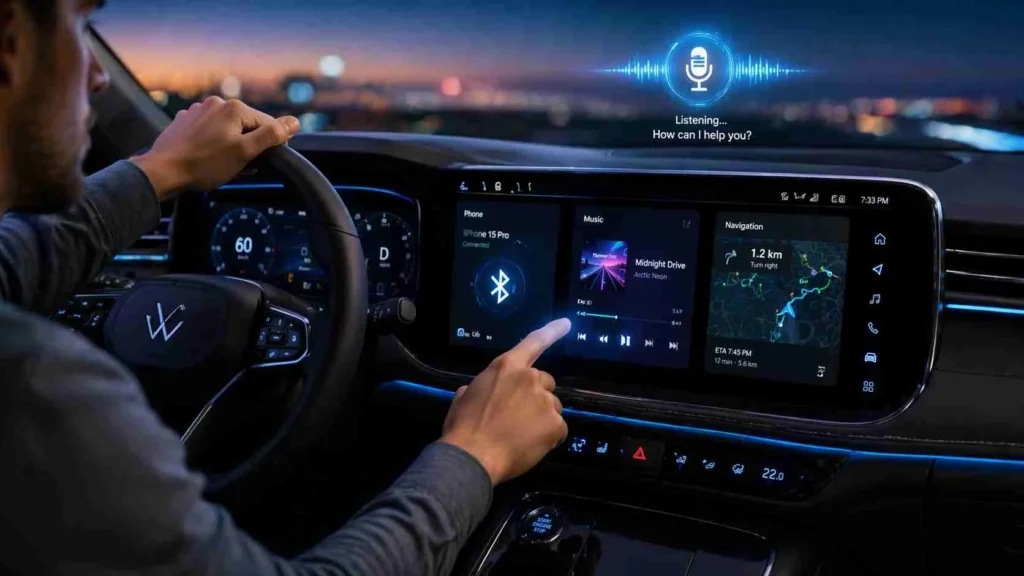
Sync in a car refers to the process of connecting and synchronizing a smartphone or device with a car’s infotainment system so that data like contacts, music, calls, and apps can be accessed and controlled through the vehicle’s display or voice system.
If you’ve ever connected your phone to your car and seen the word “Sync” pop up, you might have wondered what it actually means. Is it just a fancy tech term? A Bluetooth feature? Or something more advanced hidden inside your dashboard?
In today’s smart vehicles, “sync” is more than just a buzzword—it’s the bridge between your car and your digital life. From music streaming to hands-free calling and even voice commands, sync technology has become a core part of modern driving experience.
Whether you’re a beginner trying to understand your car’s infotainment system or someone looking to get the most out of your vehicle’s features, this guide will break everything down in a simple, friendly, and practical way.
In simple words, “sync” means your phone and car are working together in real-time, sharing information so you can drive safely while staying connected.
Origin of “Sync” in Cars
The term “sync” comes from the word “synchronize,” which means to make two systems operate together at the same time.
In automotive technology, the idea became popular in the late 2000s when car manufacturers started integrating smartphones with dashboard systems. One of the most well-known early systems was Ford’s SYNC technology, which helped popularize the term globally.
Over time, “sync” became a general term used across many car brands, even when they don’t officially use the SYNC system.
Today, sync features are standard in most modern cars, especially those with:
- Touchscreen infotainment systems
- Bluetooth connectivity
- Apple CarPlay and Android Auto
- Voice assistants
What Does Sync Mean in a Car in Real Life?
When someone says “my car is synced,” they usually mean their phone is connected to the car system. But the meaning can go deeper depending on the feature being used.
Common functions of sync in a car:
- Connecting your phone via Bluetooth
- Accessing contacts and call logs
- Streaming music from apps
- Using voice commands
- Reading and sending messages hands-free
- Navigating with map apps on the car screen
Think of sync as a digital handshake between your car and your phone.
How Sync Works in Cars
Car sync systems work through different technologies depending on the model. Most modern systems rely on Bluetooth, USB, or Wi-Fi.
Step-by-step process:
- You turn on Bluetooth or plug in USB
- Your car detects your phone
- You approve the connection
- Data like contacts, media, and apps are shared
- You control everything from your car screen or voice system
Table: What Sync Can Do in a Car
| Feature | What It Does | Example |
|---|---|---|
| Phone Sync | Connects phone calls | Answer calls hands-free |
| Music Sync | Streams audio | Play Spotify or YouTube Music |
| Contact Sync | Imports phone contacts | Call saved contacts easily |
| Navigation Sync | Mirrors maps | Use Google Maps on dashboard |
| Message Sync | Reads texts aloud | Hear messages while driving |
Real-World Examples of Sync in Cars
To understand sync better, let’s look at everyday situations:
Example 1: Friendly Use
You get in your car, and it automatically connects to your phone. Your favorite playlist starts playing instantly.
👉 “Nice, my car just synced my music!”
Example 2: Neutral Use
You press a button and ask your car to call a friend.
👉 “Sync contacts and call Ali.”
Example 3: Dismissive or Negative Tone
When sync fails:
👉 “Ugh, my car didn’t sync again!”
This shows how sync can be both helpful and frustrating depending on connection quality.
Types of Sync in Modern Cars
Sync is not just one feature—it has different types depending on function.
1. Audio Sync
Connects your phone music to car speakers.
2. Phone Sync
Links contacts, call logs, and dialing features.
3. App Sync
Works with Apple CarPlay or Android Auto for full app control.
4. Cloud Sync
Stores your preferences like seat position, navigation history, and settings.
5. Voice Sync
Allows you to control features using voice commands.
Comparison – Sync vs Related Terms
Many people confuse “sync” with other tech terms. Let’s clear it up.
Table: Sync vs Similar Terms
| Term | Meaning | Difference from Sync |
|---|---|---|
| Sync | Full data connection | Two-way data sharing |
| Pair | Initial connection setup | First step before sync |
| Connect | General link | Doesn’t always share data |
| Mirror | Screen duplication | Shows phone screen only |
| Bluetooth | Wireless technology | Tool used for sync |
Alternate Meanings of Sync in Cars
While most people think of phone connectivity, “sync” can also mean:
- Engine synchronization (timing between components)
- Audio-video synchronization in entertainment systems
- System syncing between car software updates
However, in everyday driving conversation, it almost always refers to smartphone integration.
Polite or Professional Alternatives to “Sync”
If you want to sound more formal or technical, you can use these terms instead of “sync”:
- Connect the device
- Pair the phone
- Link the system
- Integrate smartphone
- Establish connection
Example:
Instead of saying “my phone is synced,” you can say:
👉 “My phone is connected to the infotainment system.”
Why Sync Features Are So Popular in Cars
Sync technology has become a standard because it improves both safety and convenience.
Key benefits:
- Hands-free driving
- Reduced distractions
- Better entertainment access
- Easier navigation
- Smart assistant integration
Modern drivers expect seamless connectivity, and sync makes that possible.
Common Problems with Car Sync (and What They Mean)
Even though sync is useful, it’s not perfect.
Common issues:
- Phone not connecting
- Audio delay
- Contacts not loading
- App crashes
- Bluetooth disconnection
These problems usually happen due to outdated software or weak Bluetooth signals.
Tips to Improve Car Sync Performance
- Keep your phone software updated
- Restart Bluetooth before driving
- Remove old paired devices
- Use original USB cables if needed
- Keep infotainment system updated
Small steps can dramatically improve your sync experience.
FAQs
What does sync mean in a car?
Sync in a car means connecting your phone to the car’s system so you can use calls, music, and apps through the dashboard safely and easily.
Is sync the same as Bluetooth in a car?
No, Bluetooth is the technology, while sync is the process of using that connection to share data like music and contacts.
Why won’t my car sync with my phone?
It may be due to outdated software, weak Bluetooth signal, or previous pairing errors stored in the system.
What is Ford SYNC in a car?
Ford SYNC is a branded infotainment system developed by Ford that allows voice control, navigation, and smartphone integration.
Does syncing a car use mobile data?
Only if you use apps like navigation or streaming. Basic sync functions like calls do not use mobile data.
Can I sync two phones to one car?
Yes, many modern cars allow multiple devices, but only one can actively stream or call at a time.
Is syncing safe while driving?
Yes, it is designed for safety because it allows hands-free control and reduces phone usage while driving.
What is the difference between pairing and syncing in a car?
Pairing is the initial connection setup, while syncing is the ongoing sharing of data and functions between devices.
Conclusion
At its core, sync in a car simply means connection and communication between your phone and your vehicle. It allows you to drive smarter, safer, and more comfortably by integrating your digital life with your driving experience.
From music and calls to navigation and voice control, sync technology has transformed modern driving into a fully connected experience.
If you think of your car as a partner on the road, sync is what helps both of you stay on the same page literally and digitally.
Discover More Related Articles:
- Candescent Explained: The Meaning of “Cand” Made Easy In 2026
- Confused About Conduction in Science: Here’s What It Really Means In 2026
- Understanding TDS in Water: Meaning, Measurement & Health Impact In 2026

Daniel Moore is a content writer and language enthusiast at TextRoast.com, specializing in decoding slang, abbreviations, and trending text expressions. He creates engaging and informative articles that help readers understand the meaning behind everyday words and online communication.